📸 SNAPSHOT - Issue 112
Welcome to a brand new Issue of my Magazine. A truly brilliant one, enjoy the read :)
Sponsored by


In this Issue
GoPro’s New Mission 1 Series Cameras
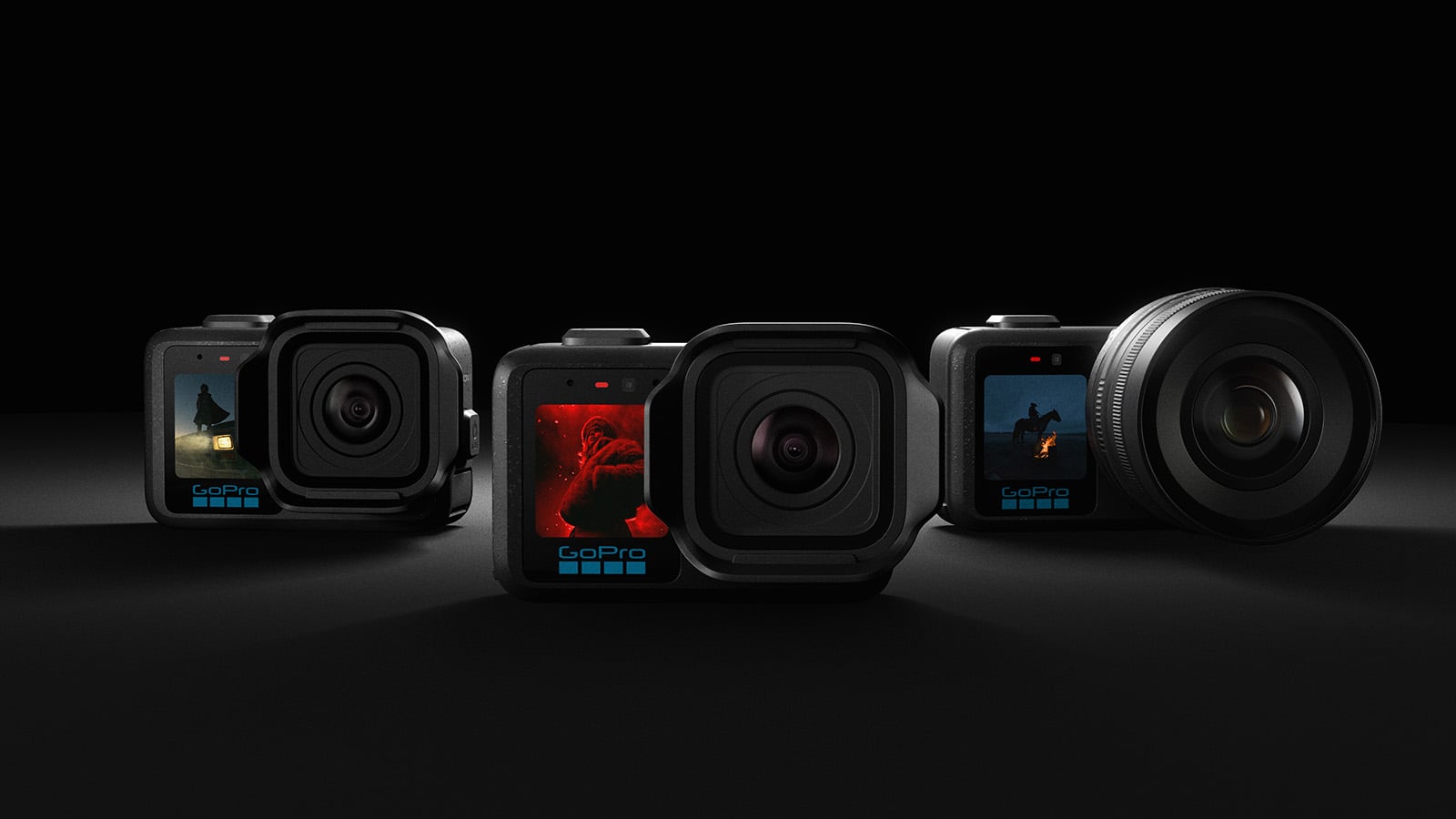
GoPro has announced the new Mission 1 series of cameras, and it looks like the company is trying to push well beyond its usual action camera territory.
Leading the lineup is the Mission 1 Pro, which was fully announced a couple of days ago. It is a compact camera built around a Type 1 sensor, capable of shooting up to 8Kp60 video, including 8K Open Gate, along with 50-megapixel stills. Later this year, GoPro plans to follow it up with the Mission 1 ILS, which swaps the fixed lens for a Micro Four Thirds mount. That model is expected sometime in Q3 2026, with more details coming closer to launch.

At the centre of the new system is GoPro’s GP3 processor. Paired with a new 4:3 Type 1 sensor, it enables features like 8K Open Gate recording, improved thermal handling, better low-light performance, and slow motion up to 960 frames per second.
Sensor size is a big part of the pitch here. GoPro says the Mission 1’s sensor is about 25% larger than the one in the DJI Osmo Action 6 and nearly 44% larger than the Insta360 Ace Pro 2. Pixel size is also larger, with 1.6 μm at 8K compared to roughly 1.2 μm on competing cameras, which in theory should help it gather more light. At 4K, that increases to 3.2 μm, again larger than what is typical in this category.

In terms of video, the Mission 1 Pro can shoot 8K in a 4:3 Open Gate format at up to 30p, or 16:9 at up to 60p. There is also a high bit rate mode topping out at 240 Mbps, along with 10-bit GP-Log2 for more flexible grading. HLG HDR is supported as well, and the camera includes timecode sync for more complex setups.
On the audio side, the camera includes four built-in microphones and supports Bluetooth 5.3, along with wired mic input via USB-C.
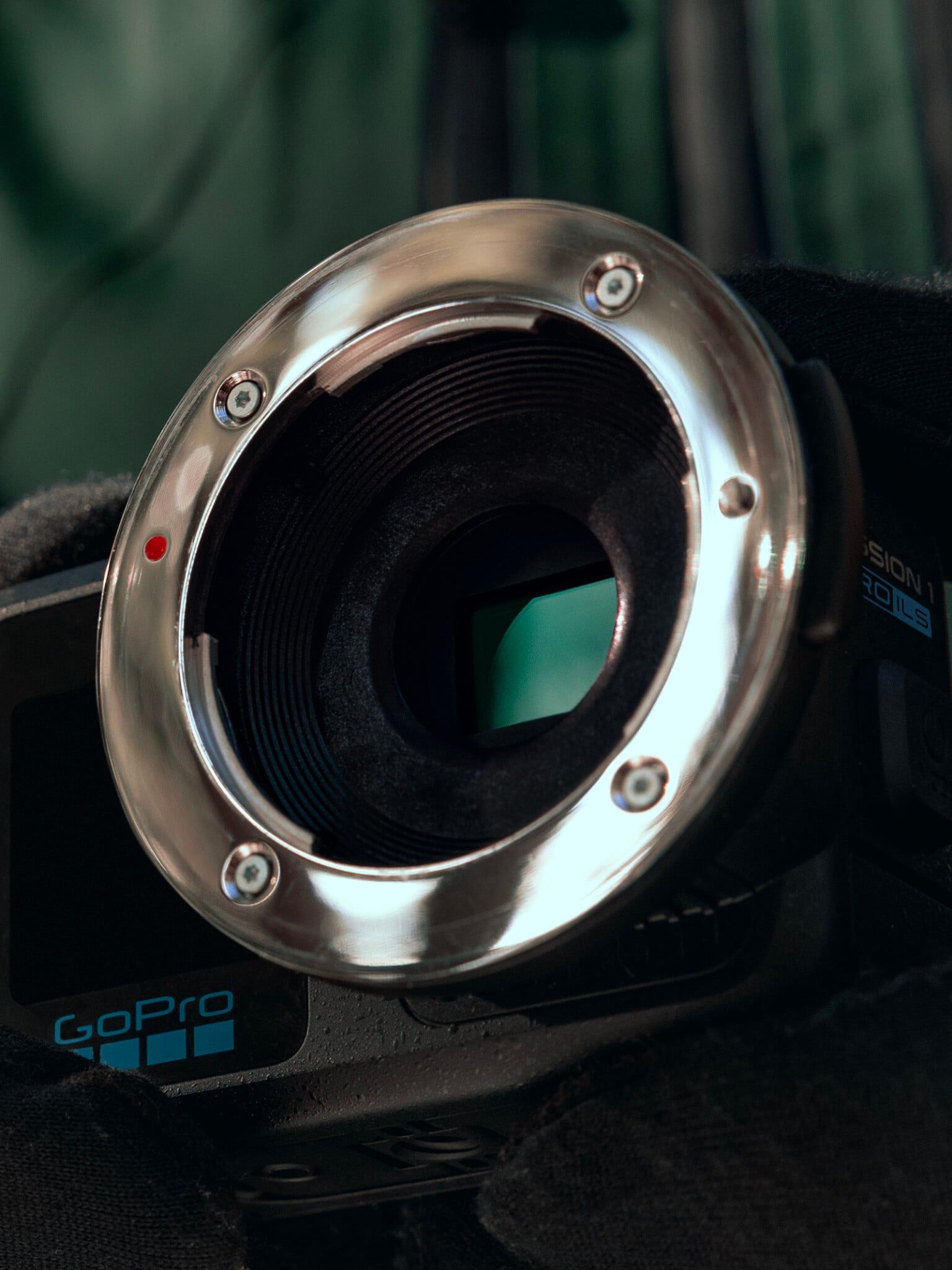
Physically, it still keeps some of that GoPro DNA. The Mission 1 Pro is waterproof down to 66 feet on its own and up to 196 feet with a dive case. It has a removable lens hood, a hydrophobic coating on the front element, raised buttons for easier use with gloves, and a 2.59-inch OLED rear screen paired with a 1.4-inch front display.
Storage is handled via microSD, and battery life depends heavily on how you are shooting. At the low end, 1080p recording can stretch up to five hours. Shooting 4K drops that to just over three hours in standard frame rates, while high frame rate modes like 4K120 and 4K240 bring it down further, especially if airflow is limited. At the top end, 8K recording can run for around 96 minutes in standard modes, again depending on conditions.
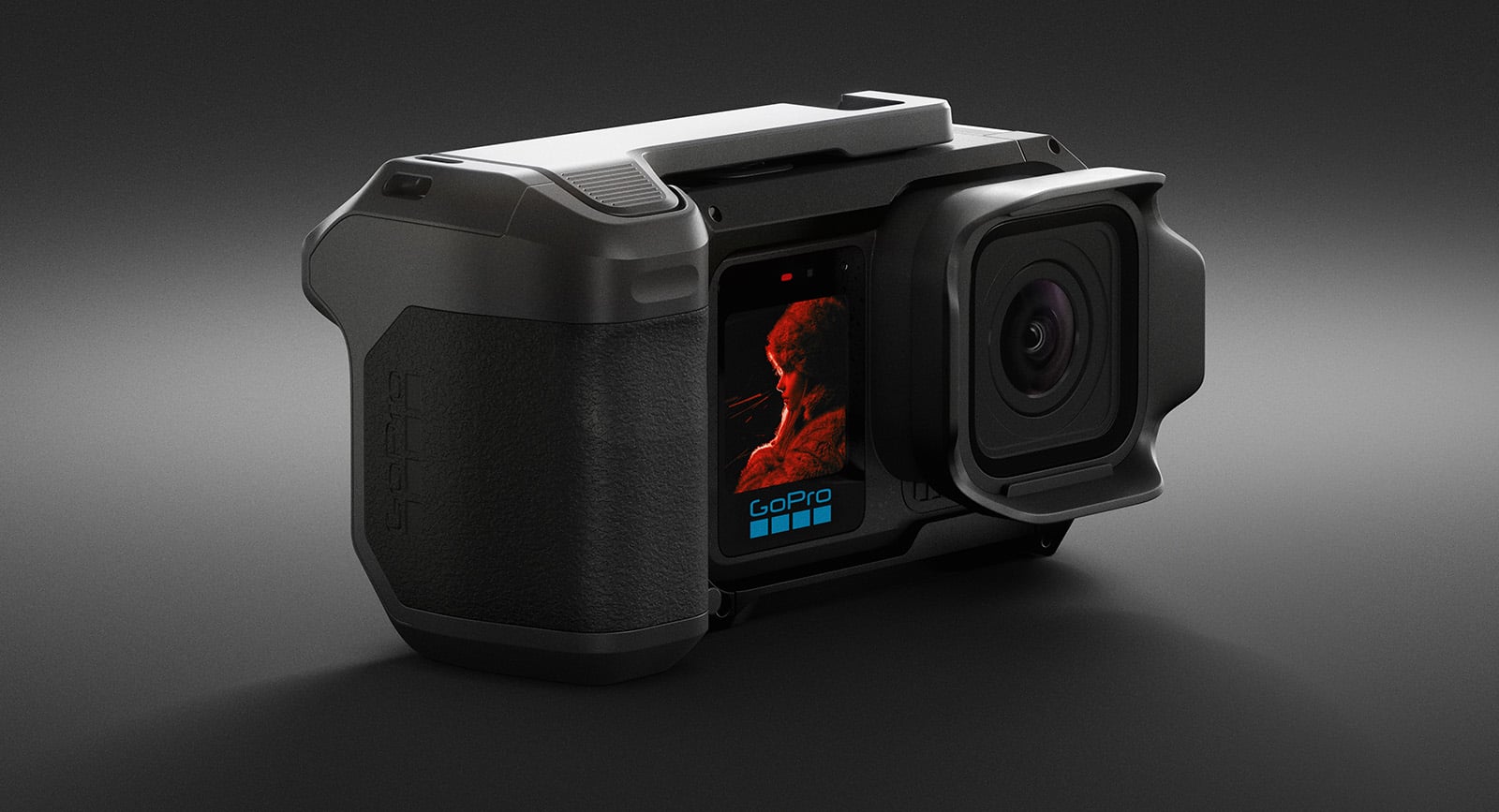
GoPro has also added a range of shooting modes, including subject tracking, a dedicated Dive mode for underwater footage, and a Low Light mode meant to reduce noise while boosting brightness. Alongside those are more familiar options like timelapse, slow motion, POV, vlogging, and looping modes.
The photo side, this time around, actually seems to be a bigger focus than you would normally expect from GoPro. The 50-megapixel sensor comes with full manual control over ISO, shutter speed, exposure compensation, and white balance. You also get 10-bit colour with HLG HDR support for stills, which should help with dynamic range and give more flexibility when editing.

The Mission 1 Pro is set to open for pre-orders on May 21, with general availability starting May 28. Pricing has not been announced yet, partly due to ongoing supply issues affecting components like flash memory.
Alongside the Pro model, GoPro also introduced a more basic Mission 1 version. It shares much of the same design and core features but scales things back a bit, with 8K limited to 30p, 4K Open Gate at 120p, and a maximum of 4K120 and 1080p240 for slow motion.
A few sample photos:


Learn The Art Of Photography

Get full and free access to my Creator University - The World’s Best Online University for Photographers & Creatives: Get access to hundreds of amazing photography courses, learn from professional photographers, connect with students and much more!
Interview with Peter Varsics
This week’s Interview with Peter, a talented photographer from Hungary. I am truly honoured to have had the opportunity to interview him!
You can find him on Instagram as: @p_varsics
Enjoy the amazing Interview ;)

Can you tell us about yourself?
I am a film and commercial director with a background in editing and over a decade of experience leading creative concepts for major brands across Europe. After completing my first feature film (Így vagy tökéletes / Perfect as You Are) in Hungary, I found myself needing a creative outlet that didn't involve a crew of fifty people and a production schedule. I started pursuing photography — specifically on film — as a form of "creative therapy." It’s a way for me to reclaim the "solitary observer" role that originally drew me to visual storytelling.
What drew you to photography in the first place?
Coming from a film background, I’ve always been obsessed with the frame. However, in filmmaking, the image is often a result of immense planning and compromise. Photography offered me the opposite: the chance to capture a moment that belongs solely to me. It’s the purest form of visual storytelling, one frame, one truth, no "Action!" cue required.
What is the best spot to take photos in your city?
Budapest is incredibly cinematic. For me, the magic lies in the contrast between the grand, decaying architecture of the 8th district (Józsefváros) and the timeless, sweeping views of the Danube embankments. There’s a certain "Eastern European melancholy" in the courtyards of old apartment buildings that look stunning on film. And of course all the bridges.
What is your favourite time of day to shoot?
I’m a huge fan of the Golden and Blue Hour, and late twilight. There is a short window of time where the city lights start to hum, but there’s still enough ambient light to hold the textures of the buildings. It creates a moody, noir-ish atmosphere that feels like a scene from a movie. I would love to shoot more sunrise scenes, but I am not really morning person :)

How do you scout locations for your shoots? Do you plan ahead or go with the flow?
In my commercial work, everything is scouted to the inch. In my photography, I try to unlearn that. I practice what I call "planned drifting." I pick an interesting neighborhood, but once I’m there, I let my intuition lead. The best shots usually happen when I stop looking for something specific and just start seeing what’s actually there. Also, most of my photos in Budapest are usually made on my daily way from A to B, from a meeting place to a coffee shop, that’s why there are a lot of tram, subway shots among my captures.
Is there a dream location/city/country you have no photographed yet but really want to?
I just visited New York, so the choice is clear: Tokyo. The juxtaposition of neon-soaked futurism and quiet, traditional alleyways is a dream for anyone who loves cinematic street photography. I’d love to document that city on a rainy night using Cinestill or Portra film.

Black&White photography or colour? And why?
It’s a constant internal battle. B&W is about light, shadow, and geometry, it’s timeless. I did shoot a lot in monochrom, also commercials. But color is even more about mood and emotion. In the past 3 years I’ve been leaning towards color and I do not feel that will change anytime soon.
Do you prefer shooting in dramatic weather or when it’s calm and clear?
Dramatic, absolutely. Clear blue skies are the enemy of atmosphere. Give me fog, rain, or harsh, high-contrast sunlight that creates deep shadows. Weather provides "texture," and texture is what makes a photo feel tangible.

Why street photography?
Because it’s the only genre where you can’t control the "talent." It keeps your reflexes sharp. As a director, I spend my life telling people where to stand; in street photography, I have to be the one to move and adapt to the world’s choreography. Also, it allowed my to sharpen the art of noticing.
What is your favourite subject to shoot?
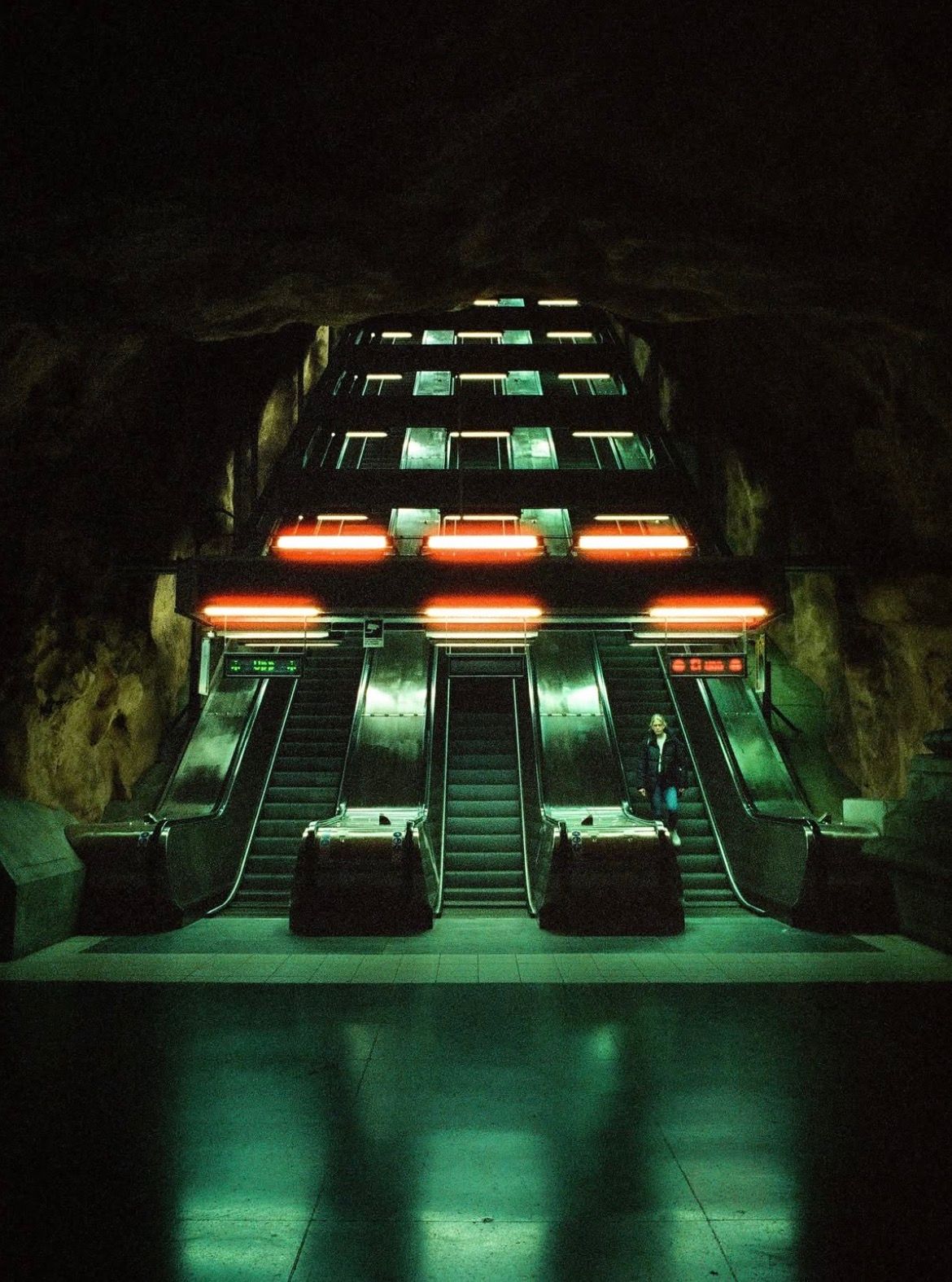
Depends on my mood and the place I am. One day it’s the contrast between architecture (like brutalist or industrial subway stations) and the human presence. On other days it would be people who are lost in thought. There’s a specific vulnerability and beauty in a person when they think no one is watching — whether they are waiting for a bus or staring out of a cafe window. Capturing that "in-between" moment is what I find most rewarding.

What’s the biggest challenge you face as a photographer?
Silencing my "Director's brain." I have to resist the urge to "fix" the scene or wait for a perfect composition that might never happen. Learning to embrace the imperfections of a candid moment is my biggest challenge and my biggest goal.
How do you approach editing your shots? Do you aim for realism or go for a more artistic vibe?
Since I shoot a lot of film, the "edit" happens mostly when I choose the film stock. I try to stay true to the feeling I had when I pressed the shutter. I don't aim for documentary realism; I aim for a cinematic memory. If the colors feel like a dream, I’m happy.

What role does patience play in your process? Do you ever wait hours for the perfect shot?
Patience is everything. Sometimes I find a perfect patch of light or a beautiful backdrop and I’ll stay there for thirty minutes, waiting for the right person with the right coat to walk into the frame. It’s like fishing, you need the right bait and a lot of quiet.
Do you have a favourite lens or piece of gear that you can’t shoot without?
My Leica M system. It’s small, unobtrusive, and the tactile feel of manual focusing connects me to the process. For lenses, a 35mm is my sweet spot — it’s wide enough to tell a story but tight enough to feel personal. But it’s a close tie with the 50mm, which ends up on my camera just as often.
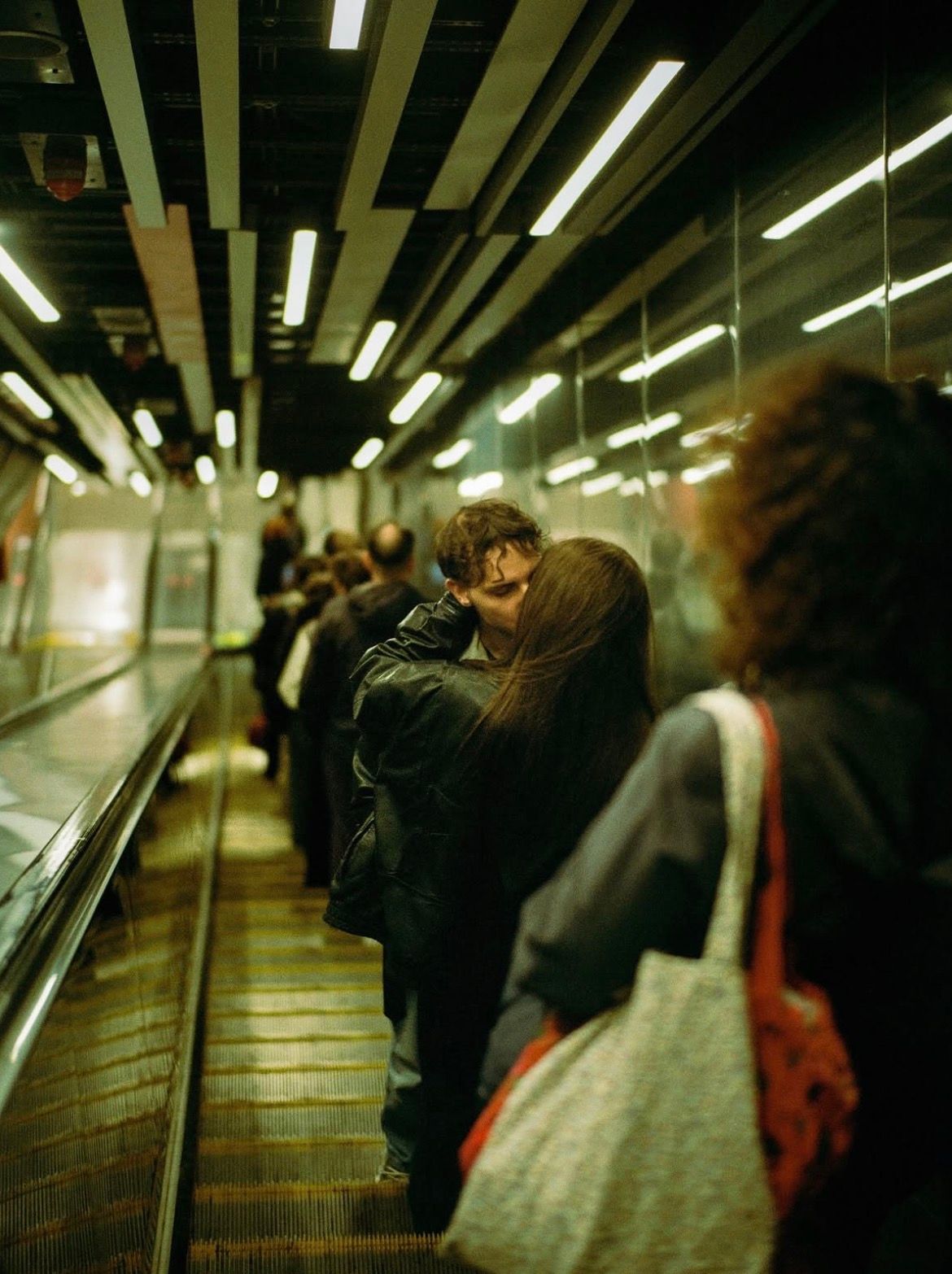
How do you manage to make a familiar spot look fresh and unique in your photos?
By changing the height of the camera or looking for reflections. Sometimes just shooting through a window or catching a reflection in a puddle can completely re-contextualize a landmark everyone has seen a thousand times. Layering is another direction, it is something I loved playing with in more crowded environments like New York.
What’s your approach to capturing a particular mood in a picture?
Mood is 80% light and 20% timing. I look for "cinematic" lighting — side-lighting, silhouettes, sometimes backlit scenes, or pools of light in the darkness. If the light is right, the mood follows naturally.

Are there any photographers or artists who inspire your work?
The color work of Saul Leiter and Fred Herzog is a huge influence. From the film world, I’m constantly inspired by the cinematography of some of my favourite filmmaker’s work, like David Fincher, Chan-Wook Park, Martin Scorsese or Wong Kar-wai movies — especially the latter’s lush, moody, yearning atmosphere is something I always strive for.
What role does composition play in your photography?
It’s the skeleton of the image. Coming from film editing, I think in terms of "eye-trace." I want to lead the viewer’s eye through the frame in a way that feels satisfying. A good composition is like a good sentence, it’s clear, even if the subject is complex. Due to social media though I feel the best, more nuanced works are getting overlooked and I would encourage people to sometimes print out their work to see at them differently.
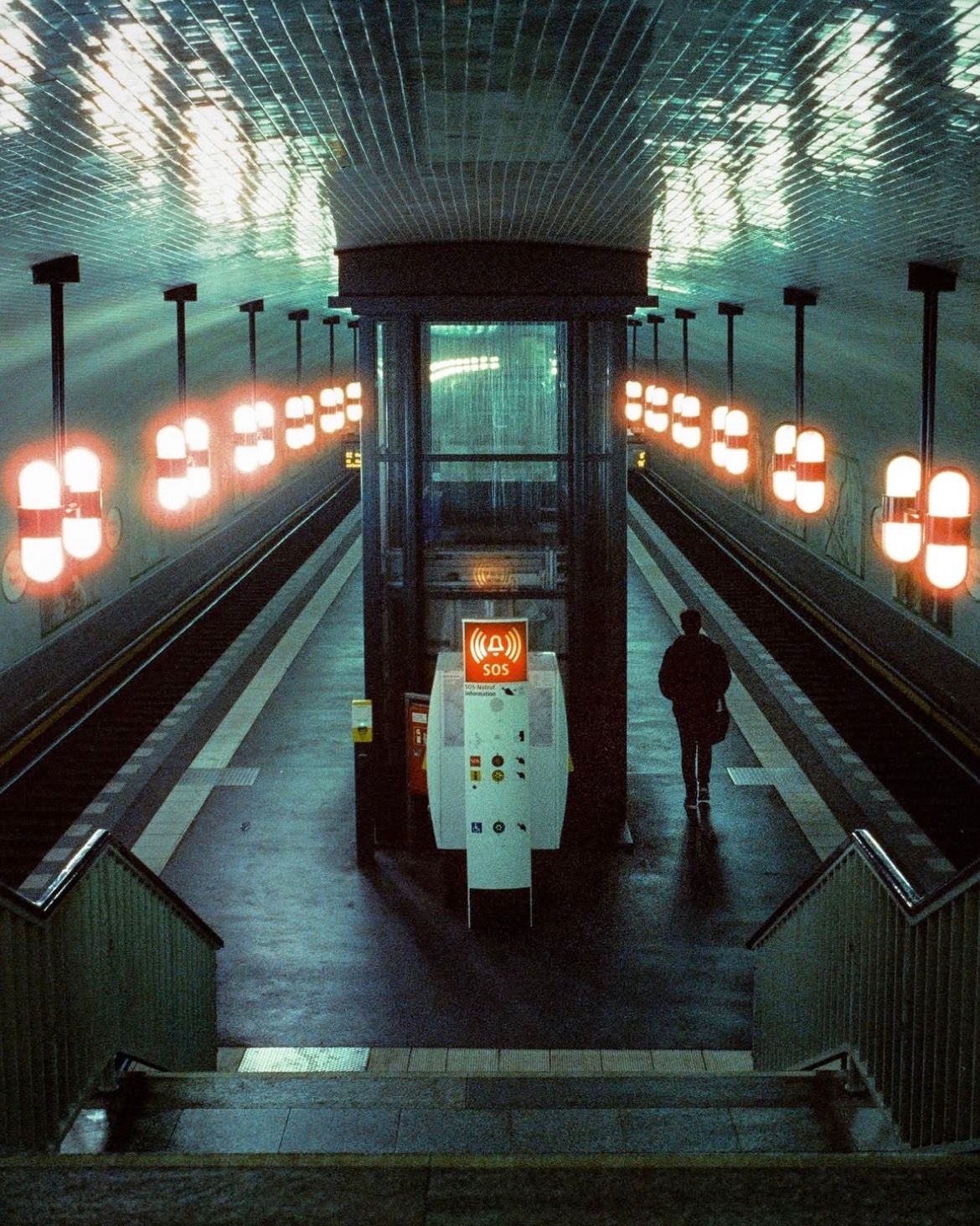
How important is light to your shots, and how do you work with it?
Light is the protagonist. I rarely take photos of "things”. I take photos of light hitting things. Depending on the scene I deliberately under or overexpose slightly to either preserve or crush the shadows and let the highlights pop, which gives that filmic, moody look.
What’s your advice for someone who wants to get started with photography?
Stop watching gear reviews and start looking at photo books. Your eyes are your most important equipment. Learn to see light before you learn to use a camera. And don't be afraid to fail. It is part of the journey.

Why film photography? What makes it special?
It’s about the process and the delay. In a digital world where everything is instant, there is something magical about the wait. You can’t check the back of the camera, so you stay "in the moment." Also, the organic texture of film grain has a "soul" that pixels simply can’t replicate.
For someone who has never shot film before: can you walk us through the whole process?
It’s a ritual. You load the roll, you set your ISO manually, and you only have 36 (or 16, or 10) chances. You have to be deliberate. Once the roll is done, you send it to a lab. The moment you get those scans back a few days later is like Christmas morning. Is it difficult? Not really. But it requires intention. You have to care about every frame.

You are also a film and commercial director, what is that like?
Being a director is about being the "guardian of the vision." You have to communicate with the DP, the actors and the clients to ensure everyone is making the same movie. I’ve worked on everything from high-budget commercials for multiple brands to my own feature film and down to low budget music videos. It’s a high-pressure environment where you are solving problems every second. That’s why photography is such a vital balance for me, it’s the one place where I don't have to answer anyone's questions but my own. It also helped me being more present and rely on my feelings which positively affected my work as a director.
How do you capture “candid moments” your feed is full of them?

The rest, 5 more questions of this Interview + an additional exclusive photograph selection, are for Premium subscribers only.
New Adobe Lightroom Updates

Adobe just rolled out a fresh set of updates across its Lightroom ecosystem, including Lightroom Classic 15.3, Lightroom Desktop 9.3, and Lightroom Mobile 11.3. This round does not have any big headline feature, instead focusing on refining performance, streamlining AI workflows, and adding a few creative tools along the way.
One of the more meaningful changes in Lightroom Classic 15.3 is how AI-powered edits behave in batch workflows. Previously, if you copied, pasted, or synced settings across a bunch of images, the app would kind of lock things up while AI adjustments processed in the background. Now, those updates run without interrupting everything else. Features like Denoise, Raw Details, and Super Resolution, along with AI edits applied through presets or sync, are handled as a single background process. You might still see some images temporarily unavailable while they update, but the key difference is you can keep working elsewhere in your catalog instead of waiting around.

Adobe has also added a small but useful “AI Updates Required” warning during export, which flags images that still need their AI adjustments refreshed before you finalise them.
On the creative side, there is a new set of film-inspired presets and profiles. These are not trying to replicate specific film stocks, but instead lean into broader looks and colour moods, with names like Warm Gold and Light Sage. You will find them in the Presets panel under the Style: Film-Inspired group, with matching profiles in the Profile Browser across Classic, Desktop, and Mobile.

Culling has also been changed a bit. Adobe has refined how Subject Focus scoring works, especially in shallow depth of field shots where only part of the subject is sharp. The goal here is to reduce false rejects when you are intentionally shooting with background blur. The Reject system has also been updated, with a new exposure issues slider that lets you control how aggressively images get flagged. Labels for eye detection and subject recognition have been cleaned up too, making filtering a bit clearer.
Performance is a big part of this update overall. Slider adjustments feel more responsive, both for global edits and local adjustments, which makes real-time changing feel smoother. Adobe has also improved memory handling in full-screen mode and sped up cloud sync downloads, which should help if you are dealing with larger libraries. Batch AI processing improvements tie into this as well, making high-volume editing sessions less of a grind.

Another notable addition is support for PSB files, which means large Photoshop documents can now be brought into Lightroom more easily and synced across devices.
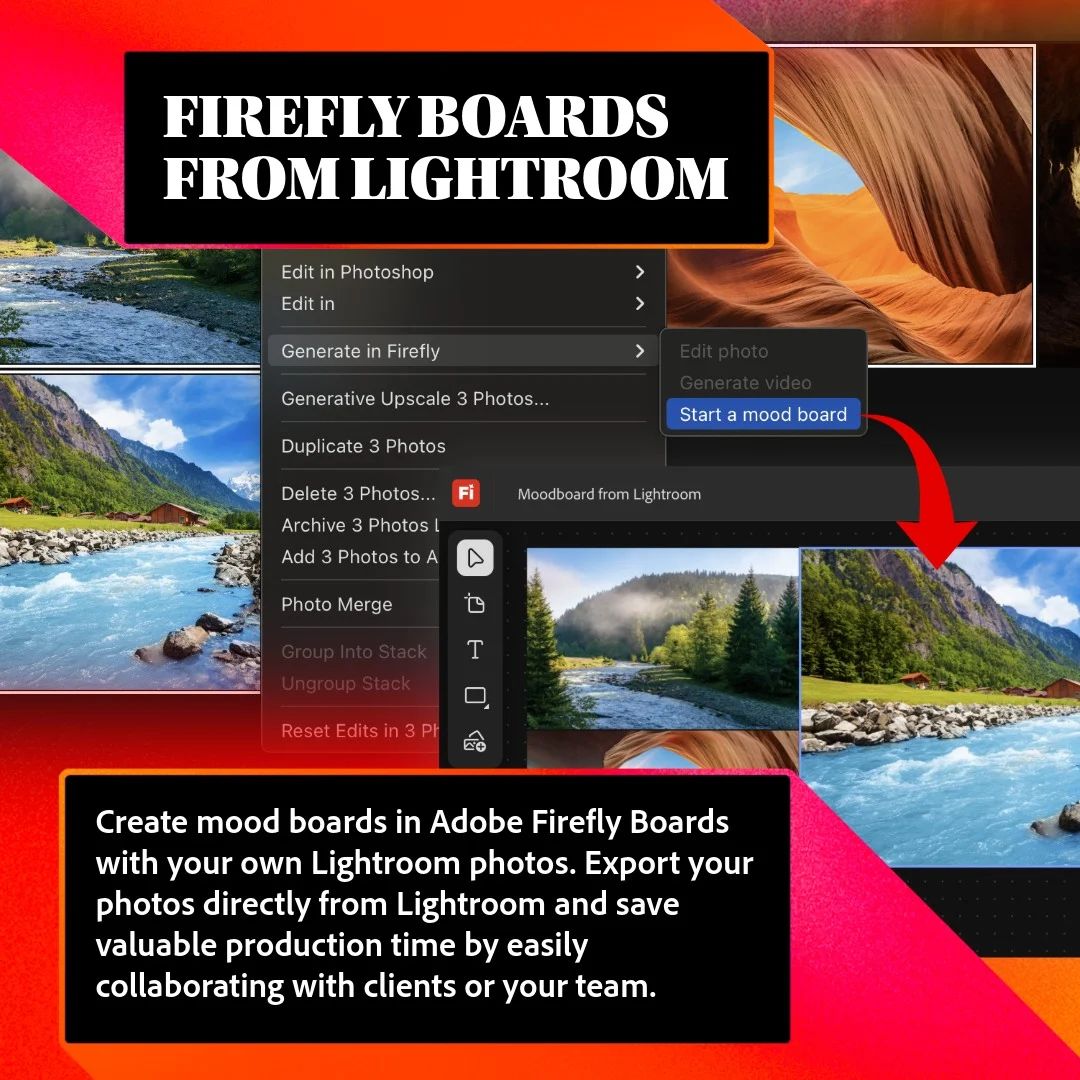
There is also deeper integration with Adobe’s broader ecosystem. You can now send photos directly to Firefly Boards, exporting up to 10 images at a time to build mood boards or experiment with AI edits without touching your originals.
Outside of Classic, Lightroom Desktop gets improved natural language search, so you can find photos using more detailed phrases instead of just keywords. There are also better controls when sending files to Photoshop, including options around file type and bit depth. Cropping has been improved too, with the ability to zoom and pan while adjusting.
On mobile, shared album management has been sped up, especially when it comes to approvals, and there is better support for opening multiple images directly from your phone’s native photo apps.

Across all versions, there are smaller changes like faster preset browsing, improved white balance previews, and quicker distraction removal tools. Adobe has also fixed a range of bugs related to cropping, presets, translations, and general stability.
Photography Tip of the Week


The weekly photography tip is only accessible to Premium Subscribers of The Magazine For Photographers.
Photo Analysis
Welcome to the part of the Magazine Issue where we take a closer look at a photo and analyse it so that you can learn and better your own photography from it ;)
Photo by: @u_ccccc0109

Let’s Analyse this Photo
Composition & Framing
What works well:
This is very clean compositionally speaking. The cat sits almost perfectly in the centre, and everything around it supports that placement.
The alley creates a natural tunnel, which pulls your eye straight toward our subject without you even having to think about it.
The leading lines are subtle but pretty effective. The edges of the alley and especially the reflections on the wet ground guide you forward toward the cat (it really starts on the bottom edge of the frame and funnels you towards the cat).
Depth is strong here as well. We have the immediate foreground with the wet ground → the cat → the mid-ground glow → and then the soft, blurry background lights. It gives the photo a nice 3D feel/look.
What could be better:
The composition is quite centred, which works here, but also makes it feel a bit ‘‘predictable’’’.
Some of the darker edges on the sides feel a bit heavy and close in quite aggressively.
Light & Atmosphere
What works well:
The light is pretty good. That mix of warm orange and cooler blue tones gives it a very cinematic look.
The wet ground reflecting the light definitely adds a lot → glow, depth, and some atmosphere all at once.
The cat is nicely backlit too, which helps separate it from the background and just gives it a subtle outline.
Overall the mood feels like a quiet, late-night moment, calm but slightly mysterious.
What could be better:
Some of the highlights in the reflections are quite strong and can pull attention away from our cat.
The brightest background lights compete a bit with the cat (though, the car headlights actually do sort of help funnel your attention towards the cat/the surrounding area → they kind of function as an attention magnet, pulling you into the frame → it works mainly because the car is basically on the same level as the cat, if the lights above had the same intensity they would definitely pull your attention much more upwards and then ‘‘steal’’ attention away from the cat).
Colour & Tone
What works well:
The colour contrast is really nice. Warm oranges against cool blues always work, and here it feels natural.
The tones are rich without feeling overdone, and the reflections tie everything together nicely.
The cat being mostly dark helps it stand out against the warm reflections.
What could be better:
The saturation in some of the highlights is quite strong and could be toned down slightly.
The darkest areas lose some detail, especially on the edges of the frame.
Story & Emotion
What works well:
There is a simple but effective story here. A lone cat in a quiet alley at night, it immediately gives off a sense of solitude.
The cat’s pose → slightly alert, tuned towards us, mid-step → adds a bit of life and tension.
What could be better:
The story is obviously quite minimal, it is more about mood/there is no additional element to build on that moment, so it stays fairly simple.
Balance
What works well:
The symmetry of the alley and our centred subject create a strong, stable balance.
The warm reflections on the ground balance the darker upper part of the frame.
The background lights are spread out pretty evenly I would say, so that keeps the back from feeling too heavy on one side.
What could be better:
The darker edges on the sides create a bit of visual weight that is not fully balanced by detail/light.
Join Our Photographer Group!

Get access to the best photographer group/community for networking, collaborating, gear talk, feedback on your work and so much more!
Something You Have To Check Out
The Key to Better aging: More NAD+

Most skincare works on the surface. Aramore goes where real aging begins: the basal layer of the skin, where new cells form. Backed by decades of research from Harvard and MIT scientists, Aramore is the first topical system designed to support skin’s NAD+ — the molecule your cells rely on for repair, energy, and resilience.
As NAD+ naturally declines with age, visible changes follow: dullness, uneven tone, fine lines, and loss of firmness. Aramore’s unique complex of NAD+ precursors, ketones, and fatty acids helps replenish cells at the source for skin that acts healthier and younger.
Clinically shown to improve tone, radiance, smoothness, and firmness as soon as 28 days.
Photographer of the Week
Photographer of the week goes to: Nicolas De Weeze
You can find him on Instagram as: @ndwz
A few photos of his:


Also want your photos featured in the magazine? Become a member here!
The Rest of this Issue is for Premium Subscribers
