📸 The Magazine For Photographers - Bite Size
Read the Latest Photography News and Updates in the Creative Industry in 3-4 minutes or less ;)
In partnership with


Important note: All photography articles are NOT sponsored
The Latest News:
Blazar’s New Talon Anamorphic Lenses
credits: Blazar
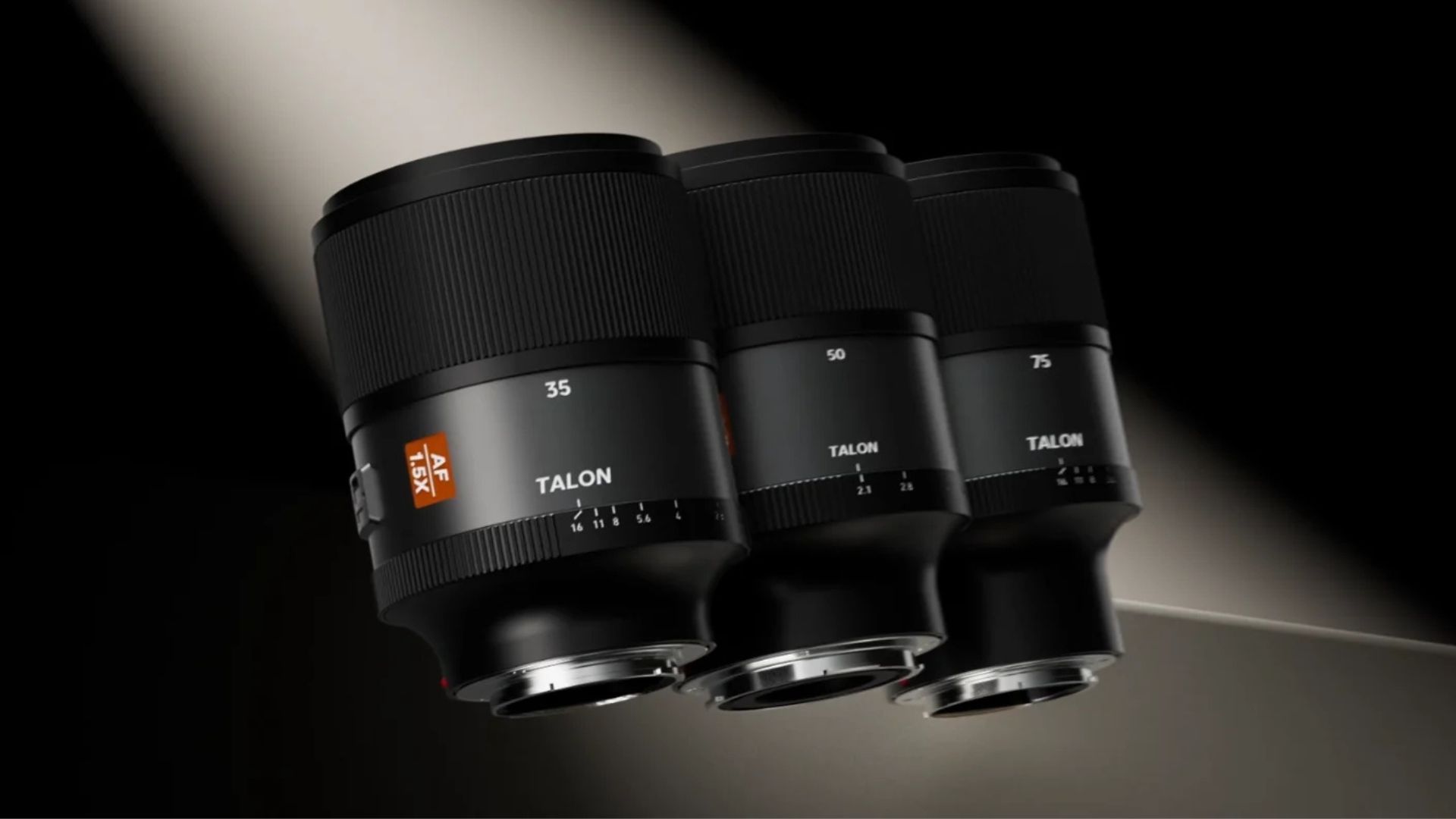
Blazar has officially announced the Talon 1.5X AF anamorphic lens series, the company’s first autofocus anamorphic system with a 1.5× squeeze. Autofocus anamorphic lenses are not new anymore, 1.33× options have been around for a while, but pushing that squeeze higher while keeping and optimising AF for mirrorless cameras is where Blazar is trying something different. The idea seems to be offering more pronounced anamorphic character without jumping all the way to the heavier, slower, and more demanding 1.8× or 2× lenses.
At launch, the Talon lineup includes three focal lengths, 35mm, 50mm, and 75mm. The 35mm is rated at T2.1, while Blazar has not yet shared the T-stops for the other two. All three cover full-frame (36×24mm) and use a 1.5× squeeze that Blazar says visually lands closer to a 1.8× look, with stronger oval bokeh and wider-feeling frames than typical 1.33× lenses. Close-focus distances are fairly reasonable for anamorphic glass, about 0.37m on the 35mm, 0.65m on the 50mm, and 0.73m on the 75mm, and all three lenses use a 16-blade iris for smoother out-of-focus rendering.
Physically, each one weighs under 690 grams, shares a 80mm front diameter, and takes 77mm screw-in filters. Autofocus is a core part of the design, with support for subject tracking and eye AF, plus a physical AF/MF switch for quick changes. There are no cine gears, and the focus ring has a long 360-degree rotation, pointing to a hybrid photo-video target audience. For now, the Talon lenses are Sony E-mount only, with pre-orders opening today at $999 per lens.
Nikon-Viltrox Lawsuit Update
credits: Viltrox
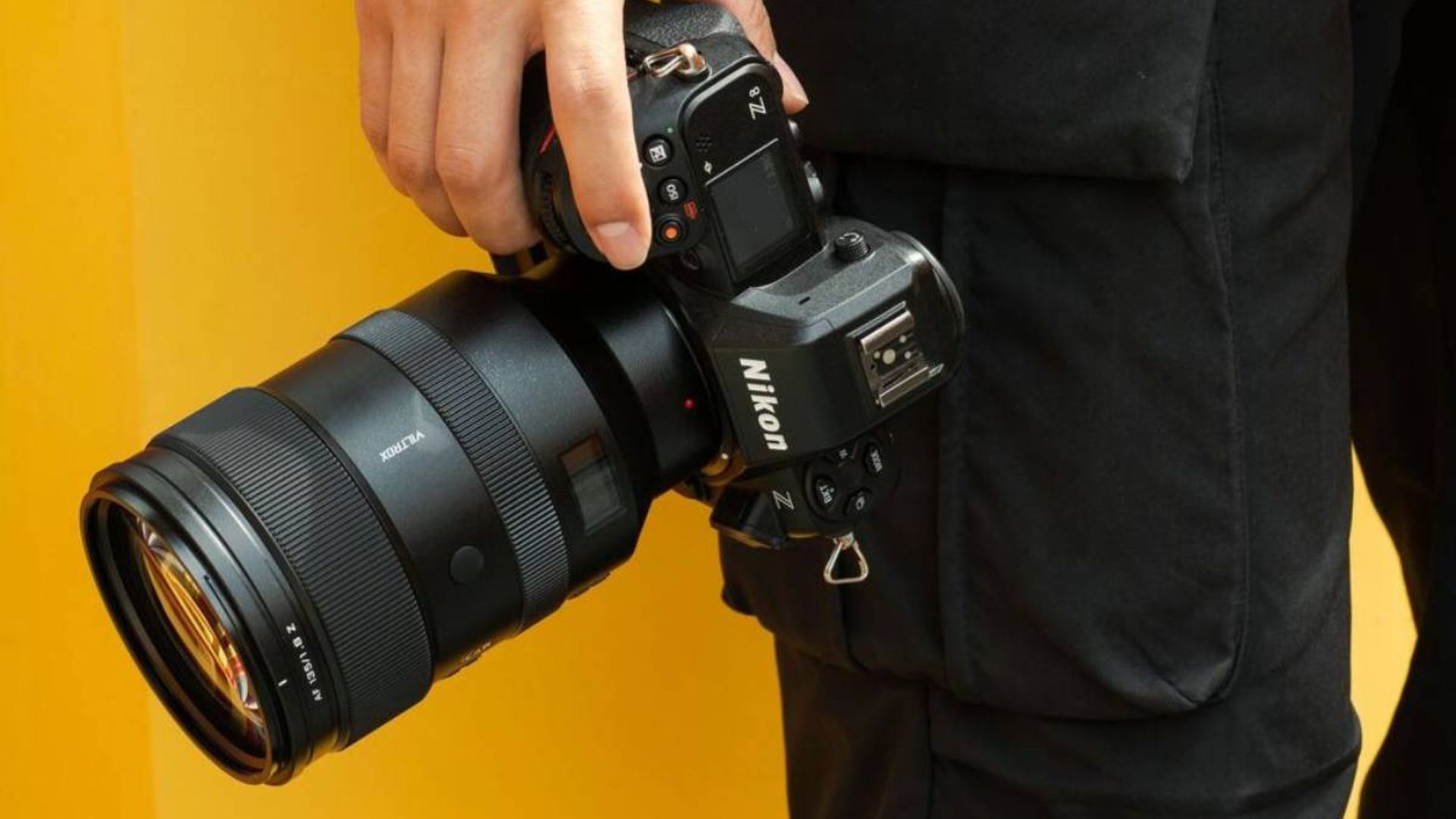
It was recently reported that Nikon is suing lens maker Viltrox in China over patents related to the Z mount, and now Viltrox has finally responded publicly. The situation first surfaced a few weeks ago via Chinese sources and quickly spread across the industry, raising questions about what the lawsuit actually covers and what it could mean for Nikon Z users who rely on third-party lenses. Until now, Viltrox had largely stayed quiet, confirming only that a lawsuit exists but offering no real details.
Based on available court documents and reporting, the core of the dispute appears to involve Nikon’s Z-mount patent during its provisional period. The prevailing theory is that Nikon believes Viltrox used protected Z-mount technology (likely tied to autofocus or lens communication) before the patent was fully granted. Now that the patent is reportedly approved, Nikon may be seeking retroactive royalties for Z-mount lenses sold during that earlier window. In simpler terms, Nikon is likely arguing that it is owed licensing fees for past sales, not necessarily trying to block Viltrox lenses outright.
Viltrox’s official statement, does not address the specifics but does clarify its broader stance. The company says it takes intellectual property seriously, is working with legal advisors, and is handling the matter through proper legal channels. Importantly for photographers, Viltrox says its product roadmap and day-to-day operations remain unchanged. It also emphasised its belief in a diverse lens ecosystem and healthy competition. For now, it is unclear how or when this will be resolved, but the best-case outcome for users would be a licensing agreement that keeps existing and future Viltrox Z-mount lenses fully supported.
Download The World’s Best Lightroom Presets

Something You Have To Check Out
Smart starts here.

You don't have to read everything — just the right thing. 1440's daily newsletter distills the day's biggest stories from 100+ sources into one quick, 5-minute read. It's the fastest way to stay sharp, sound informed, and actually understand what's happening in the world. Join 4.5 million readers who start their day the smart way.
Weekly Photo Technique Exploration
Welcome to a new section of the magazine where every week we will explore a new photography technique from across various photography genres.
This week’s technique: Shutter Drag Photography
credits: Allison & Brian Callaway
What Is Shutter Drag Photography?
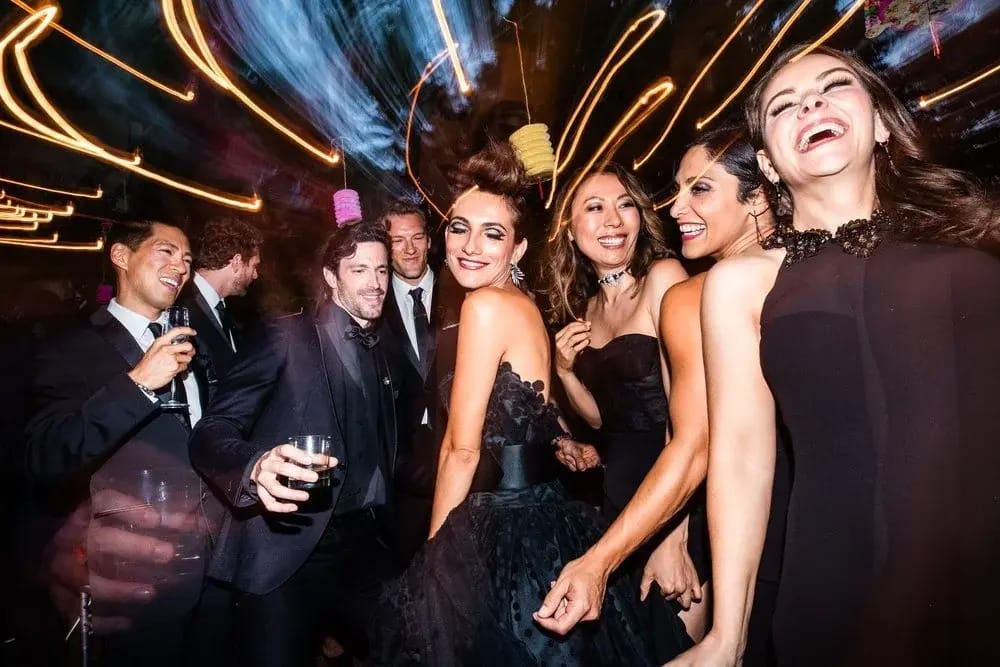
Shutter drag photography is a technique that combines a slow shutter speed with a flash to capture both motion and sharpness in a single shot. The ambient light records movement and blur, while the flash freezes the subject at one specific moment.
The result you get is an image that feels dynamic and alive (lights streaks, motion trails, energy in the background) but with a sharp subject/subjects inside all of it.
You will see/can use such shutter drag shots mostly in nightlife, events, dance floors, street photos, and creative portraits, especially in low-light.
How It Works
Normally, you as a photographer try to avoid slow shutter speeds with a flash. Shutter drag does the opposite. Here is a little rundown of what is happening, technically speaking → The slow shutter records ambient light and motion, then the flash fires briefly, freezing the subject, → both exposures are combined into one frame. This means → you are basically capturing time before and after the flash fires, not just the instant itself.
Shutter Drag Tutorial
Let us take a look at how to actually do it ;)
STEP 1: Set Your Ambient Exposure First
Just like with whip pans (I covered those last week), shutter drag starts with ambient light.
Switch to Manual mode
Slow your shutter speed to let ambient light show up
Start around 1/10s to 1 second, depending on the scene
Adjust aperture and ISO until the background looks slightly underexposed but visible
STEP 2: Add Your Flash to Freeze the Subject
Use on-camera flash or off-camera flash (whatever you have)
Aim it directly or slightly off-axis
Keep the flash power low to moderate (but experiment)
STEP 3: Choose Flash Sync
This part matters a lot, so read carefully (it will dictate the final look).
Front-curtain sync:
Flash fires at the start of the exposure
Motion trails appear in front of the subject
Feels more chaotic and aggressive
Rear-curtain sync:
The flash fires at the end of the exposure
Which means, motion trails appear behind the subject
Feels a little more natural and ‘cinematic’
Rear-curtain sync is usually the go-to for most people.
STEP 4: Introduce Motion
Motion is what gives shutter drag character. You can create motion by →
Moving the camera
So→ small camera twists, short pans, tiny vertical or horizontal drags
Letting your subject/subjects move
Letting background lights/elements move (cars, light, people, crowds etc.)
STEP 5: Control the Balance
If your photo looks messy try to: Increase shutter speed slightly, lower ISO, reduce ambient exposure
If it looks too frozen: slow the shutter, add more camera movement, let more ambient light in
Typical Camera Settings (Just A Starting Point)
Shutter speed: 1/10s – 1s
Aperture: f/4 – f/8
ISO: 100–800
Flash power: Like I said, low to mid
Focus: single-point or manual
Flash sync: rear-curtain (see what works best for you/the specific scene)
Have fun and experiment ;)
The Rest of this Issue is for Premium Subscribers
